
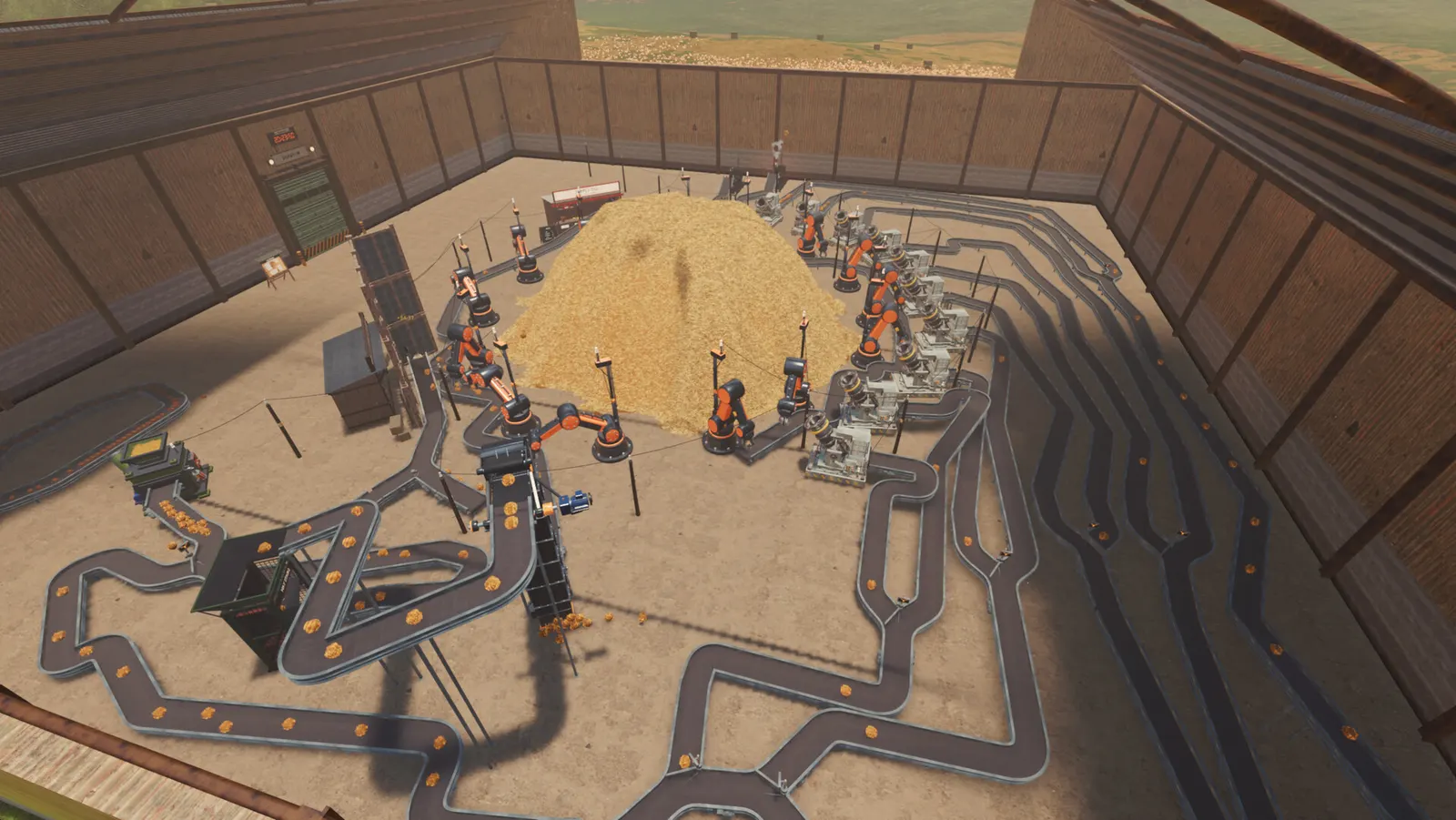
What is Find The Needle?
It is a Steam game for Windows PCs, developed by FindTheNeedleDev and published by Hay Passionates. The goal is exactly the title: a starting haystack holds about 6 million straws, and somewhere inside are the needles you have to find.
You begin by moving hay with hand tools. As you sell hay and hay products, you unlock machines and more than 300 upgrades, and the search slowly turns into a factory. It is a single-player game; the Steam page lists no multiplayer or co-op mode.
- Genre on Steam: casual, indie, simulation.
- Platform: Windows only, through Steam.
- Languages: 12, all with full audio, including English, German, French, Spanish, Simplified Chinese, Japanese and Russian.
- Not the Roblox game. Several Roblox experiences use similar names. They are separate games; see how to tell them apart.
How to play the free demo
The demo is free on Steam and runs as a normal Windows download. There is no official browser version, so you cannot play it online or on a phone.
- Check that your PC has a dedicated graphics card with Vulkan 1.3 support. Integrated graphics are not supported (full specs below).
- Sign in to Steam, or create a free account, and install the Steam client.
- Open the Find The Needle Demo store page, choose the free download, and let Steam install it.
- Launch the demo from your Steam library.
Find The Needle Demo on the Steam store (external site)
The demo came out on September 10, 2026. The latest update we have checked is Demo V8 (September 11, 2026), which reworked conveyors; the key changes are listed in Demo V8 conveyor controls.
Some players report loading stopping around 98% or a black screen, and conveyors disconnecting from silos after loading a save. No confirmed fix has been published yet. If the game crashes at launch, first check that it is running on your dedicated GPU, not integrated graphics.
PC requirements
You need 64-bit Windows 10 or 11 and a dedicated GPU with Vulkan 1.3 and at least 4 GB of VRAM. The Steam page warns that integrated graphics are not supported and may crash.
| Part | Minimum | Recommended |
|---|---|---|
| OS | Windows 10 64-bit | Windows 11 64-bit |
| CPU | 4 cores / 8 threads: Intel i5-8400 or Ryzen 5 2600 | 6+ cores: Ryzen 5 5600 or Intel i5-12400 |
| Memory | 8 GB RAM | 16 GB RAM |
| GPU | Dedicated, Vulkan 1.3, 4 GB VRAM: GTX 1050 Ti or RX 570 | GTX 1660 Super or RTX 2060, 6 GB VRAM |
| Storage | 2 GB | 2 GB |
- Big factories are CPU-heavy. The developer notes that a faster CPU keeps the frame rate up late in the game.
- No Mac or Linux version is listed, and Steam Deck compatibility has not been announced.
See the full system requirements, including Steam Deck, controller and VR status, or the crash and black screen checks.
Release date and price status
The full game is listed as coming in Q4 2026. No exact day and no price have been announced.
Until then, the free demo is the way to play. If you see a specific release day or price elsewhere, check it against the Steam store page first; as of September 28, 2026, the developer had not confirmed one. You can follow the game on Steam to see the announcement when it comes.
The demo has been popular: the developer announced on September 25, 2026 that it had reached #1 among the most played demos on Steam, and demo reviews were 86% positive when we checked on September 28, 2026.
How a run works
You clear hay, sell it, reinvest in better tools and machines, and repeat until the haystack gives up its needles.
- Dig by hand. Early tools are a shovel, bucket, wheelbarrow and pitchfork, later joined by a vacuum and a metal detector.
- Sell hay for money. Hay goes to the sell stand, first by hand and then by conveyor.
- Automate. Machines include conveyors, balers, scanners, robot arms, drones, packers, paper machines and sorters.
- Make products. Hay can be processed into pulp, bales, eco bricks, paper and pellets.
- Research upgrades. The tech tree has more than 300 upgrades that speed up every step.
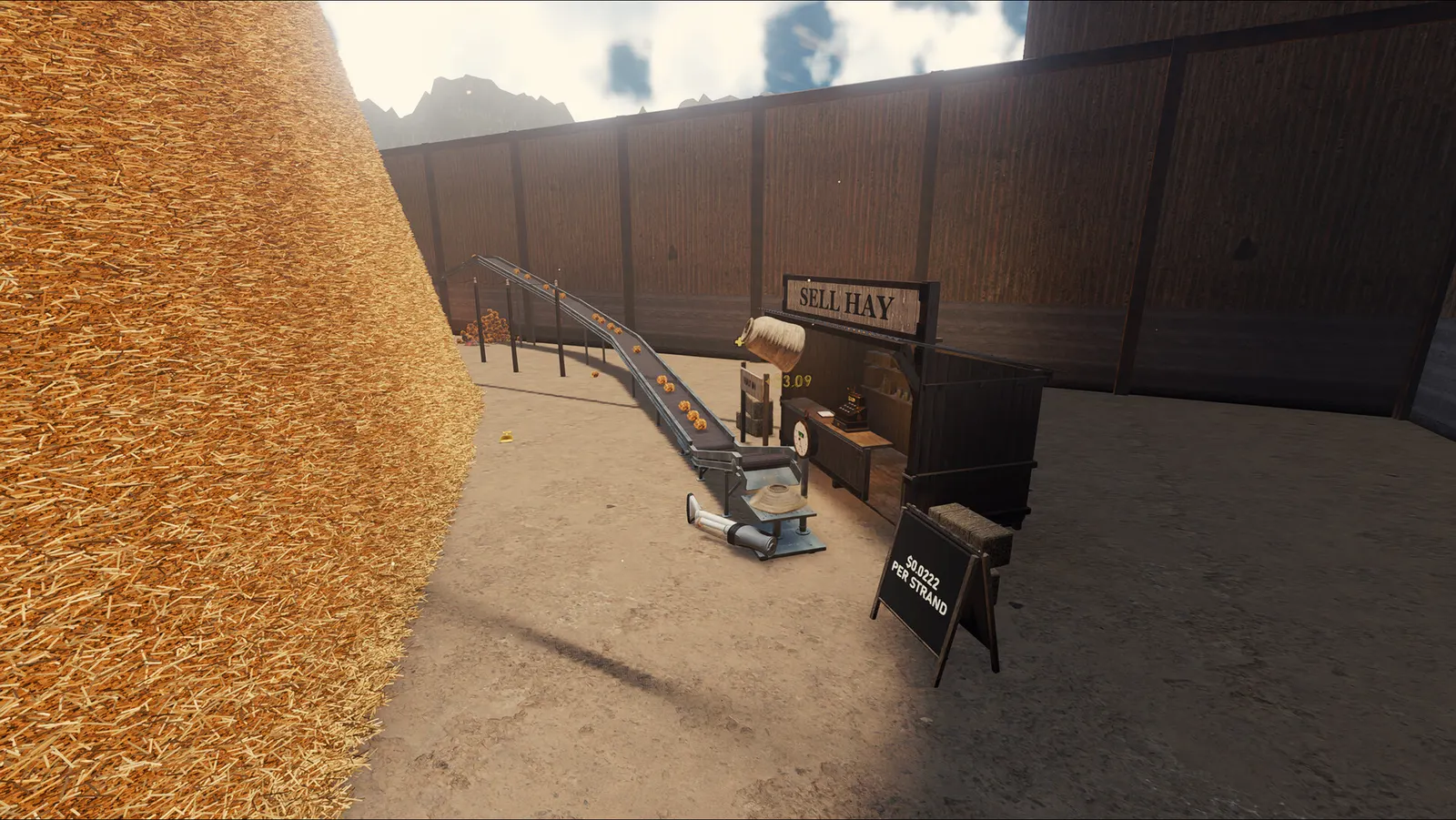
Getting hay to the sell stand without carrying it is the first big time saver. Since Demo V8, conveyors snap onto the Hay Sell Stand.
Demo V8 conveyor controls
Demo V8 (September 11, 2026) rebuilt conveyors with automatic pathfinding and added two controls worth knowing.
| Input or item | What it does |
|---|---|
| F while placing conveyors | Toggles No Snap Mode, so a conveyor does not snap to nearby machines. |
| E on a power pole | Shuts down that power grid. |
| U-Splitter / U-Joiner | New conveyor pieces. The patch notes do not describe how they route items. |
| Hay Sell Stand | Conveyors can now snap onto it. |
The same update cut the Vacuum Yard price by 80%, added a visual warning for the power threshold, raised the default jump height and improved FPS by optimizing the hay clusters. Full list: Demo V8 patch notes on Steam (external site).
Read the full conveyors and splitters guide, including a checklist for belts that stop moving.
Steam game vs Roblox games with similar names
Find The Needle on Steam is not a Roblox game. If you are looking for Roblox codes or scripts, you are looking for a different game, and this site does not cover them.
| Game | Where | Made by | How it differs |
|---|---|---|---|
| Find The Needle (this guide) | Steam, Windows | FindTheNeedleDev / Hay Passionates | Single-player, about 6 million straws, factory automation |
| 🔍 Find the Needle! | Roblox | AarushDevX | Roblox experience with 1,000,000 hay and servers of up to 20 players |
| Search For The Needle | Roblox | Garage Games | Puzzle-style game with basement and chapter 2 content |
| Other haystack games | Steam | Various | Separate store pages with different straw counts; some add multiplayer |
An easy check: the game this guide covers is published by Hay Passionates on Steam and has a free demo.
Quick answers
- Is Find The Needle free?
- The demo is free. The full game's price has not been announced.
- Can I play Find The Needle in a browser or on mobile?
- No. There is no official browser or mobile version; it is a Windows game on Steam. An early itch.io alpha was a download too, and development has moved to Steam.
- Is there multiplayer?
- No. Steam lists it as single-player only.
- Does it run on a laptop?
- Only if the laptop has a dedicated GPU with Vulkan 1.3 support. Integrated graphics are not supported.
- Where are the official community channels?
- There is no official website. The Steam page links the developer's Discord server, X account @haydeveloper, YouTube channel and the r/FindTheNeedle subreddit.